What people actually see.
Four screens carry the whole product. Two belong to the person doing the work, two to whoever is accountable for it.
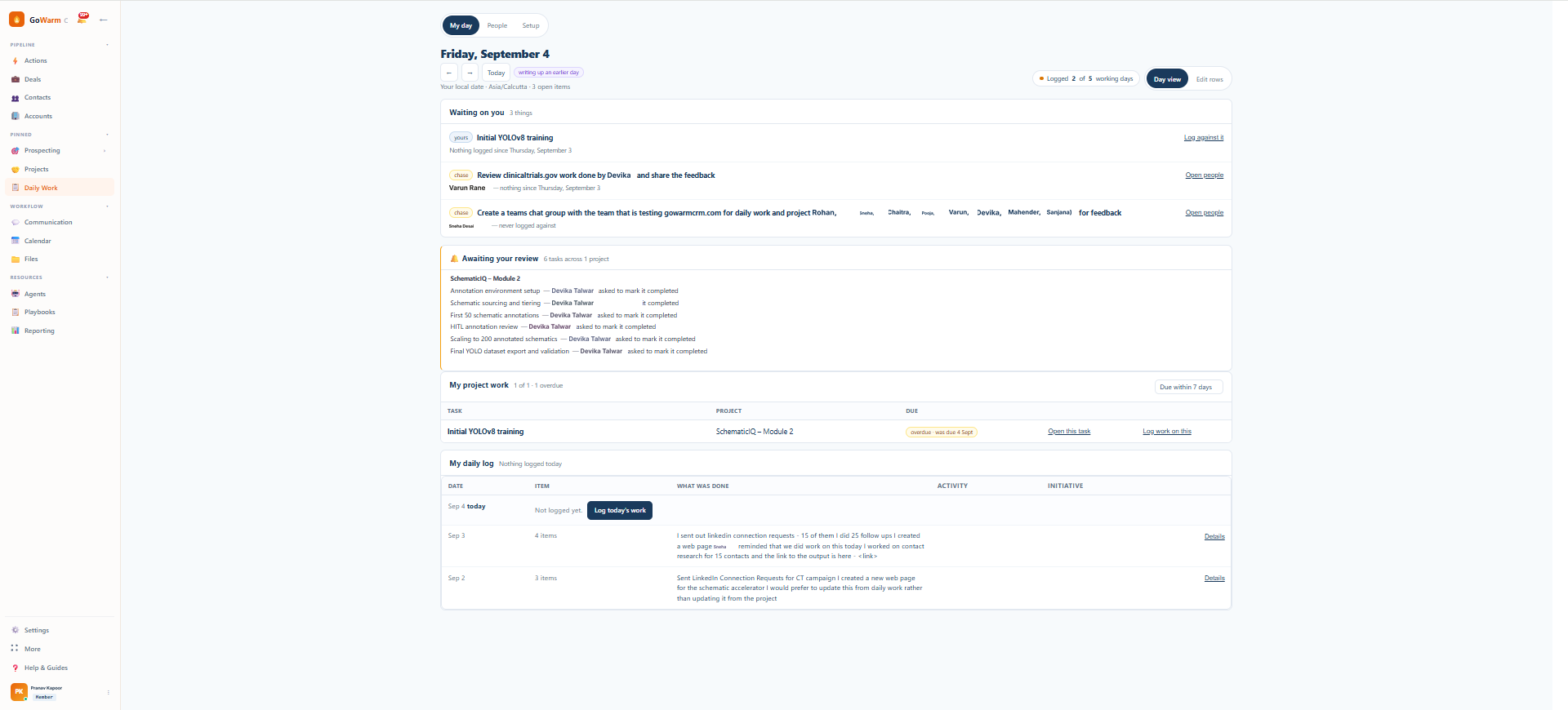
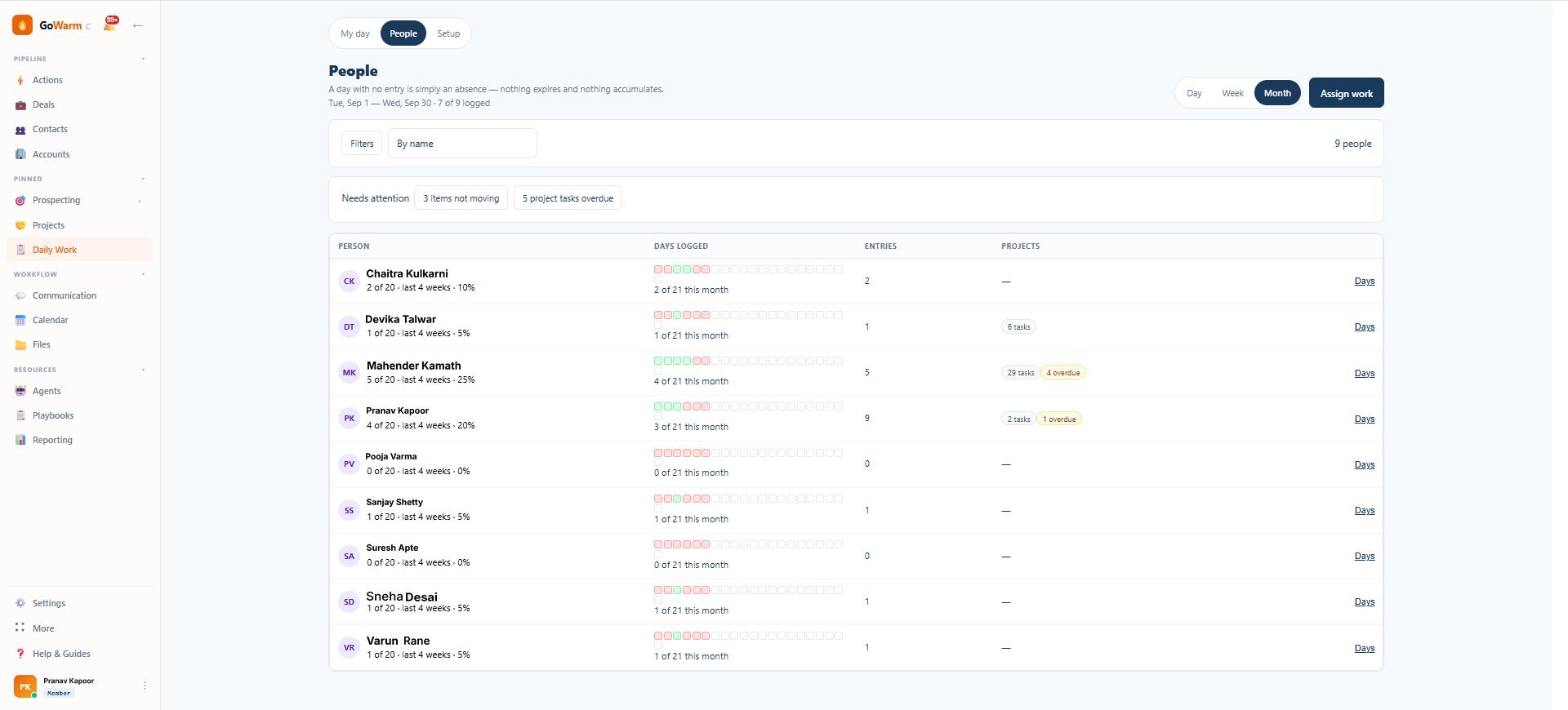
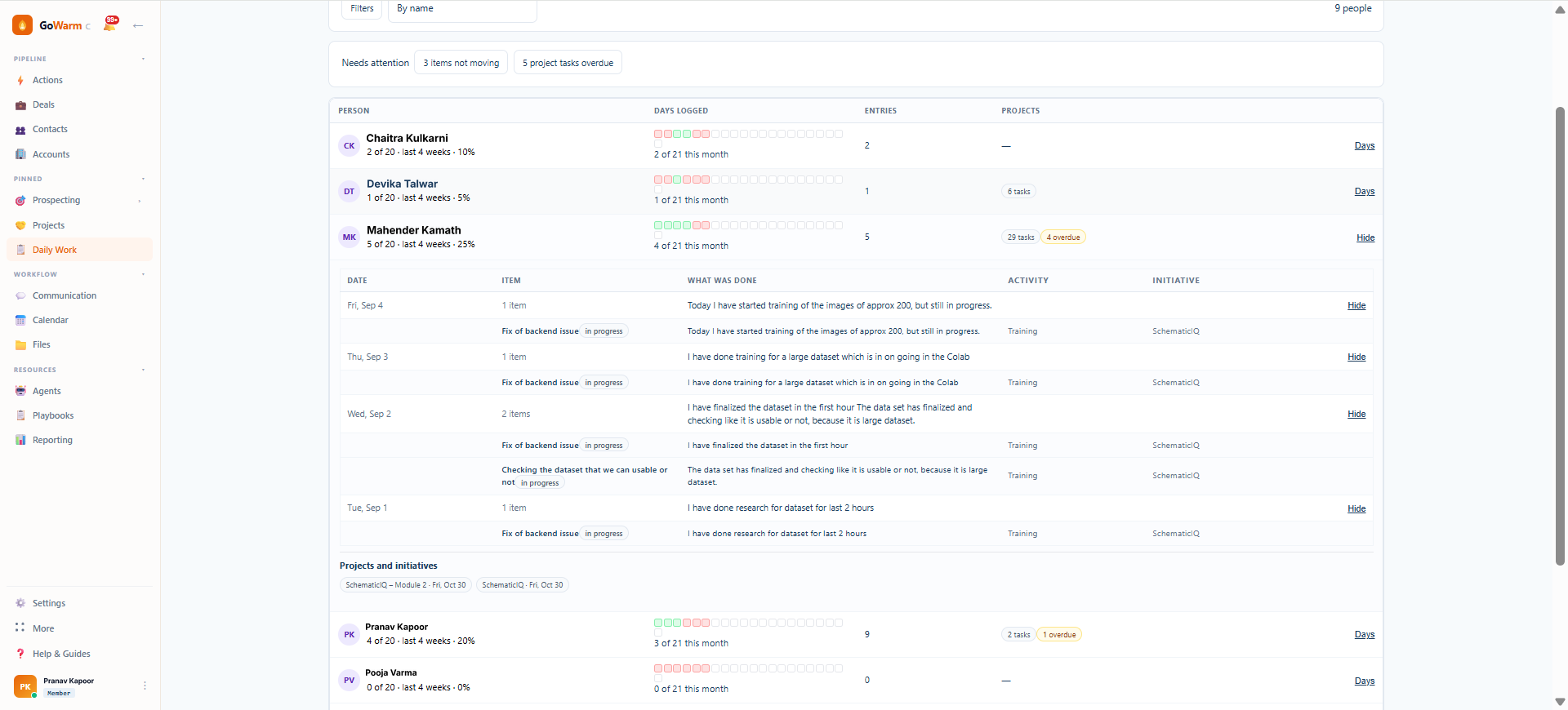
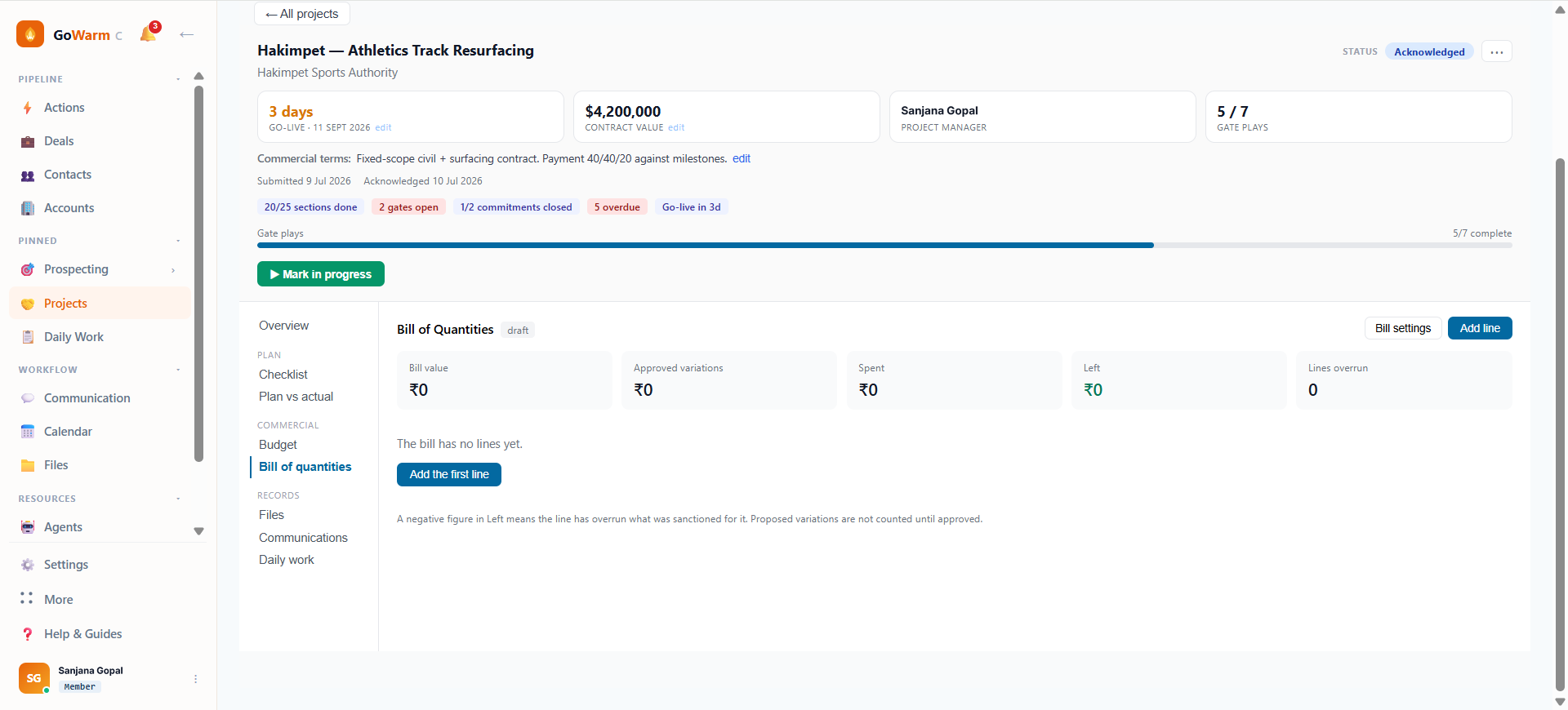
Not the results. The work. Who is actually doing what today, which projects are moving, which quietly stopped three weeks ago and nobody said. GoWarm Work is built so the record of that answers itself, because writing it is part of doing the job rather than a second job on top of it.
A person writes one line about what they did on a piece of work. It shows on their day, against the project task, and in their manager's view. Nobody retypes it anywhere.
No system generates work for anyone. A day with nothing logged is simply a day nobody worked on it, so there is no queue that grows past the point of being read.
Gates, dependencies, a frozen plan and required evidence do the work an administrator would otherwise be doing. Under 500 people, there is no administrator.
GoWarm Work is project and daily work tracking for companies up to 500 people in any industry. Projects carry stages with gates, a baseline frozen at the start, and evidence required before a task can close. Daily work is one line written by the person doing it, stored once and read on their own day, against the project task, and in their manager's rollup. It costs $999 a month for up to 25 users and can be bought with every sales module switched off.
The weekly review tells you what people chose to raise. The status deck tells you what someone assembled the night before. The dashboard is green because green is the default and nobody set the threshold. The project tool has last month's dates in it because updating it is a separate task that competes with the work.
None of these is a record of work. Each is a record of someone describing work, produced on a schedule, by a person with a reason to describe it a particular way.
This is not a discipline problem and it does not get better by asking harder. It is what happens when the act of recording is separated from the act of working. Separate them, and the record decays at exactly the speed the work speeds up — which is why it is always worst in the quarter you most need it.
The correction is structural. Put the writing where the work already is, make the missing case obvious instead of silent, and stop letting anyone close something by declaring it closed. The longer argument is here.
Projects hold the shape of the work. Daily work holds what actually happened. They are joined at the task, so a person answers once and three different people get their answer.
The join is the whole design. Two stored copies would need synchronising, and the first time two screens disagree, both stop being believed.
For anything with a shape: an implementation, a site, a build, a migration, an audit, a retainer, a standing capability that will never finish.
For the half of the company whose contribution never appears in any deal, ticket or dashboard, and who currently live in a shared spreadsheet.
The baseline is frozen when the project starts and never re-fitted, so the gap between plan and reality is a number anyone can read rather than a monthly renegotiation.
Most work tools differ in features. These are differences in what the numbers mean, which is the part you cannot fix later with configuration.
When someone posts an update on a project task, that update is their daily work entry. Not a copy of it. The same line is read by their own day view, by the task on the project, and by their manager's rollup. Edit it from any of the three and you have edited the one row.
Why it matters: the standard alternative is to store the text twice and synchronise. Synchronisation drifts, and once it drifts, two screens disagree and both lose their authority. Nobody trusts the tool after that, and the spreadsheet comes back.
No scheduler creates a daily entry for anyone. A day with no entry is an absence, not an unfinished item. Compliance is the number of days a person logged divided by the working days in the window, and the denominator comes from their schedule and your holiday calendar.
Why it matters: in one live system we looked at, a single user's generated action queue had climbed from 389 to 541 to 583 open items and then sat unchanged for nineteen days, with every reminder unread. That is the resting state of every tool that manufactures work. A table that only gains a row when a human writes one cannot get there.
Generated items arrive on a schedule; attention does not. The only queue that cannot outrun its reader is one nothing adds to automatically.
Work has two independent questions: whose is it, and does it end. Customer or internal is one axis. Timeboxed or standing is the other. All four combinations are real, and a tool that collapses them into one list will misreport at least half of your work.
Why it matters: tools that only model finite projects force the standing half into a permanently open item, which then pollutes every count you look at. Standing work here is retired, not completed, and stays out of the statistics that are about delivery.
Both rows are ordinary work. Only the top row fits a conventional project tool, which is why the bottom row ends up in a spreadsheet or nowhere at all.
The Bill of Quantities is a first-class part of a project, not an export. Progress entries are increments rather than running totals. Every entry snapshots the rate it was booked at. A mistake is corrected by a reversal that points at the original rather than by an edit. Approved variations stay separate from the original bill.
Why it matters: fold a variation into the original quantities and the project looks on budget while the reason it grew disappears. Allow edits to a spend ledger and it stops being a ledger. This is ordinary practice in construction and almost absent from software-first project tools.
Four screens carry the whole product. Two belong to the person doing the work, two to whoever is accountable for it.
Under 500 people, that is simply true, and pretending otherwise is why so many rollouts fail. Decisions get made in a group thread, a photograph of a site or a shipment is the only record that it happened, and the project tool learns about it a week later if at all.
GoWarm Work lets an administrator attach the conversations your teams already use to the project they belong to, so that history lands against the right piece of work instead of scrolling away. Connections are set up by your organisation, with your consent, on the channels you choose — you decide what is in scope and what stays out.
What this is not: it is not monitoring people, and it is not a timer. There is no screenshot capture, no idle detection and no hour counting anywhere in the product. The measure a manager gets is whether work was recorded on a working day. That is a deliberately low bar, and it is the only one that survives contact with a busy team.
Up to about 500 people, in any industry. What these companies have in common is not their size but a gap: nobody's full-time job is keeping the record of work truthful, so the founder or the managing director has quietly been doing it instead.
Sites, stages, gates and a bill of quantities that behaves like a ledger. Variations kept separate from the original bill so the overrun has a cause attached.
Long builds with real dependencies, where the plan needs to be frozen at start and the difference measured rather than quietly re-planned each month.
Fixed-scope delivery and open-ended retainers side by side, without the retainer sitting at ninety per cent complete for two years.
Engagements where the evidence matters as much as the completion, and closing a step needs something attached to it.
Standing responsibilities that never complete, alongside the finite jobs that do, counted separately because they are different questions.
Data, marketing, finance and delivery teams whose work is real but appears in no pipeline, and who are currently tracked in a shared sheet nobody trusts.
A flat monthly price for your team, not per seat. Adding a person doesn't change the price until you pass your plan's limit.
No sales modules need to be enabled if you only want the work side. Cancel anytime: you aren't charged again, and the period you've already paid for isn't refunded. See what each plan includes.
No. Modules are enabled per organisation. You can run projects and daily work with every sales module switched off, and turn them on later without migrating anything.
Those assume somebody maintains them. This assumes nobody does. The discipline is in the structure: a task cannot close without evidence, a gate holds a stage shut, the plan is frozen at start so drift is measurable, and a person writes one line rather than updating three systems.
The bar is one line a day, written where they already are, with a controlled list to pick from and an escape hatch that never blocks them. It is a habit, and habits need a low floor. Anything heavier is abandoned in week three and you know that already.
No. No timers, no screenshots, no activity monitoring, no idle detection. The manager sees whether work was recorded on a working day and what it was. Nothing about how someone spent their hours.
It is the reason several of these features exist. A bill of quantities, standing work that never completes and required evidence are not software-team concerns. They came from the companies that use this.
The setup that matters is small: your departments, working schedules, holiday calendar and a first list of activity types. Most teams are logging within a week. The activity list is meant to be edited in the first month, not perfected before you start.
Why project tools fail without a project office, and the four mechanisms that replace the administrator you do not have.
One line a day instead of a timesheet: the controlled vocabulary, working-days compliance, and why nothing is generated.
The same gap on both sides of the business, what changes for you specifically, and five checks that cost nothing.
The six things a sheet structurally cannot do, what replaces each one, and when the spreadsheet is still the right answer.
Why one never-closing retainer is enough to make a delivery dashboard meaningless, and how to tell the two kinds apart.
Twenty minutes. Bring one live project and one team whose work you cannot currently see, and we will set both up while you watch.